The Moment That Changes Your Commute
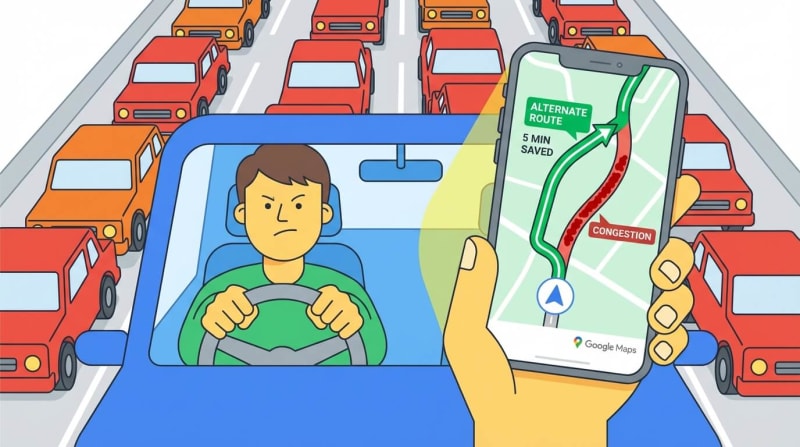
Picture this: You're running late for an important meeting. You jump in your car, start the engine, and open Google Maps. The route you always take is glowing angry red. But wait—Maps suggests a different route, one you've never considered. You trust it, take the detour, and arrive 15 minutes early while your usual route is backed up for miles.
How did Google Maps know? How does it see traffic jams before you do?
Let's pull back the curtain on this everyday magic.
What Is Live Traffic Tracking, Really?
Google Maps doesn't have cameras watching every street (though it sometimes uses public traffic cameras). Instead, it turns millions of smartphones into moving sensors. Your phone, my phone, and everyone else's phone constantly report back: "Here's where I am, here's how fast I'm moving."
Google collects all this data, processes it in seconds, and paints a color-coded picture of traffic conditions across entire cities.
How the System Actually Works: Step by Step
Step 1: Your Phone Becomes a GPS Tracker
Every smartphone has a GPS chip—the same technology that helps your phone know you're at a coffee shop, not a library.
When you open Google Maps (or even when it's running in the background with permission), your phone sends tiny location updates to Google's servers. Think of it like breadcrumbs: "I was at Point A at 9:00 AM, now I'm at Point B at 9:02 AM."
Real-world analogy: Imagine you're a runner wearing a fitness tracker. It logs your position every few seconds. Google Maps does the same thing, but for drivers, cyclists, and even pedestrians.
Step 2: Calculating How Fast You're Really Moving
Here's where it gets clever. Google doesn't just know where you are—it knows how fast you're going.
If you cover one mile in one minute, you're cruising at 60 mph. If that same mile takes you ten minutes? You're crawling at 6 mph. That's bumper-to-bumper traffic.
The math is simple:
Fast movement = green roads (smooth traffic)
Medium speed = yellow/orange roads (slowing down)
Barely moving = red roads (traffic jam)
Complete standstill = dark red (avoid at all costs)
Google calculates this speed for every segment of every road, every few minutes.
Step 3: The Power of the Crowd
One person's data is just noise. But when thousands of phones report the same slow speeds on the same road segment? That's a pattern. That's traffic.
Google aggregates (fancy word for "combines") all this anonymous location data. If 500 phones are all crawling along Highway 101 between Exit 12 and Exit 15, Google Maps knows there's a problem.
Real example: During morning rush hour, if 80% of phones on Main Street are moving at 10 mph instead of the usual 35 mph, the system flags it as congestion.
This is crowdsourced traffic intelligence. You're not just using the data—you're creating it.
Step 4: Detecting Traffic Jams Before They Explode
Google's algorithms look for patterns:
Time-based patterns: "Every weekday between 8-9 AM, this highway slows down"
Sudden changes: "This road is usually 50 mph, but right now everyone's at 15 mph—accident?"
Event-based patterns: "There's a concert at the stadium tonight, expect delays nearby"
The system learns. If a particular intersection always backs up during school drop-off hours, Maps will predict it and suggest alternatives before you get stuck.
Traffic signals and bottlenecks also play a role. If phones stop for 60 seconds, then move, stop again—that's a traffic light pattern, not a jam.
Step 5: Finding You a Better Way
Once Google knows where the slowdowns are, the routing algorithm kicks in.
It's like a chess computer, calculating thousands of possible routes:
Route A: 25 minutes, mostly highway, but red traffic near downtown
Route B: 22 minutes, side streets, green traffic all the way
Route C: 30 minutes, scenic but slower speed limits
Google picks Route B and shows it to you with that satisfying blue line.
The magic part? As traffic conditions change, Maps recalculates. If Route B suddenly gets congested because everyone took it, Maps might switch you mid-drive to Route C.

Real-Life Journey: How It All Comes Together
Let's walk through a real commute:
7:45 AM - You leave home
You open Google Maps. Your usual route (via Highway 50) shows orange. Maps suggests an alternate route through residential streets. Estimated time: 18 minutes.
7:52 AM - Traffic update
While you're driving, a fender-bender happens on Highway 50. Hundreds of phones suddenly stop moving. Google detects the anomaly within 60 seconds.
7:53 AM - Reroute notification
Maps updates everyone who hasn't reached the area yet. New ETA appears: Your residential route now saves you 12 minutes compared to the highway.
8:05 AM - You arrive
You pull into the office parking lot. Your phone sends one final location ping. Your journey data joins millions of others, helping Google paint an accurate traffic picture for the next person.
Meanwhile: Someone still on Highway 50 is stuck. Their slow-moving phone data helps Google keep that red warning active for others.

Why This System Works So Well
✅ Massive scale - Billions of location pings daily from millions of devices worldwide
✅ Real-time updates - Data refreshes every few minutes, sometimes seconds
✅ Anonymous and aggregated - Google doesn't track you personally; it sees patterns, not individuals
✅ Machine learning - The system gets smarter over time, predicting rush hours and special events
✅ Crowdsourced accuracy - More users = more accurate traffic picture (you help others, they help you)
✅ Historical data - Combines real-time info with past patterns ("Fridays at 5 PM are always bad here")
✅ Multi-source validation - Also uses data from road sensors, traffic cameras, and incident reports when available
How to Use Google Maps Live Traffic Like a Pro
Want to make the most of this powerful system? Here are insider tips:
Before You Drive:
Check Maps 10 minutes before leaving to see current conditions
Compare "leave now" vs "leave in 15 minutes" departure times
Set up home and work addresses for smarter route suggestions
During Your Drive:
Enable voice navigation so you can hear reroute alerts
Keep location services on for the most accurate updates
Report accidents or road hazards through the app (helps everyone)
Smart Commuting:
Use the "typical traffic" feature to find the best time to leave
Save alternate routes as favourites for quick switching
Check traffic at your destination (parking lot backups, drop-off zones)
Advanced Moves:
Layer live traffic view on your map before planning any trip
Use the timeline feature to see how long your usual commutes actually take
Set up commute notifications to get alerts about delays before you leave
For the Tech-Curious: What Happens Behind the Scenes
GPS Technology:
Your phone communicates with satellites orbiting Earth. By triangulating signals from multiple satellites, it pinpoints your location within a few meters. This happens continuously when location services are enabled.
APIs and Data Pipelines:
Google Maps Platform offers APIs (Application Programming Interfaces) that developers use to integrate mapping and traffic data into other apps. Uber, delivery apps, and weather services all tap into this same traffic intelligence.
Real-Time Data Processing:
Imagine processing billions of location updates per day. Google uses distributed computing—thousands of servers working together—to crunch this data in near real-time. Complex algorithms filter noise, detect patterns, and predict conditions.
Privacy Measures:
Individual location data is anonymized and aggregated. Google sees "50 phones moving slowly on Oak Street," not "John Smith's phone is at 123 Oak Street."

The Bottom Line
Google Maps doesn't have a crystal ball. It has something better: collective intelligence from millions of smartphones, powerful algorithms that learn and adapt, and real-time processing that turns raw location data into actionable guidance.
Every time you use Maps with location services on, you're part of a massive, invisible network helping strangers avoid traffic jams. And they're helping you right back.
Next time that little notification pops up saying "Faster route available," you'll know exactly why. It's not magic—it's millions of phones, talking to servers, crunching numbers, and looking out for you.
Drive smarter. Let the crowd guide you.